Monitor your events with crowd monitor by Spot Group
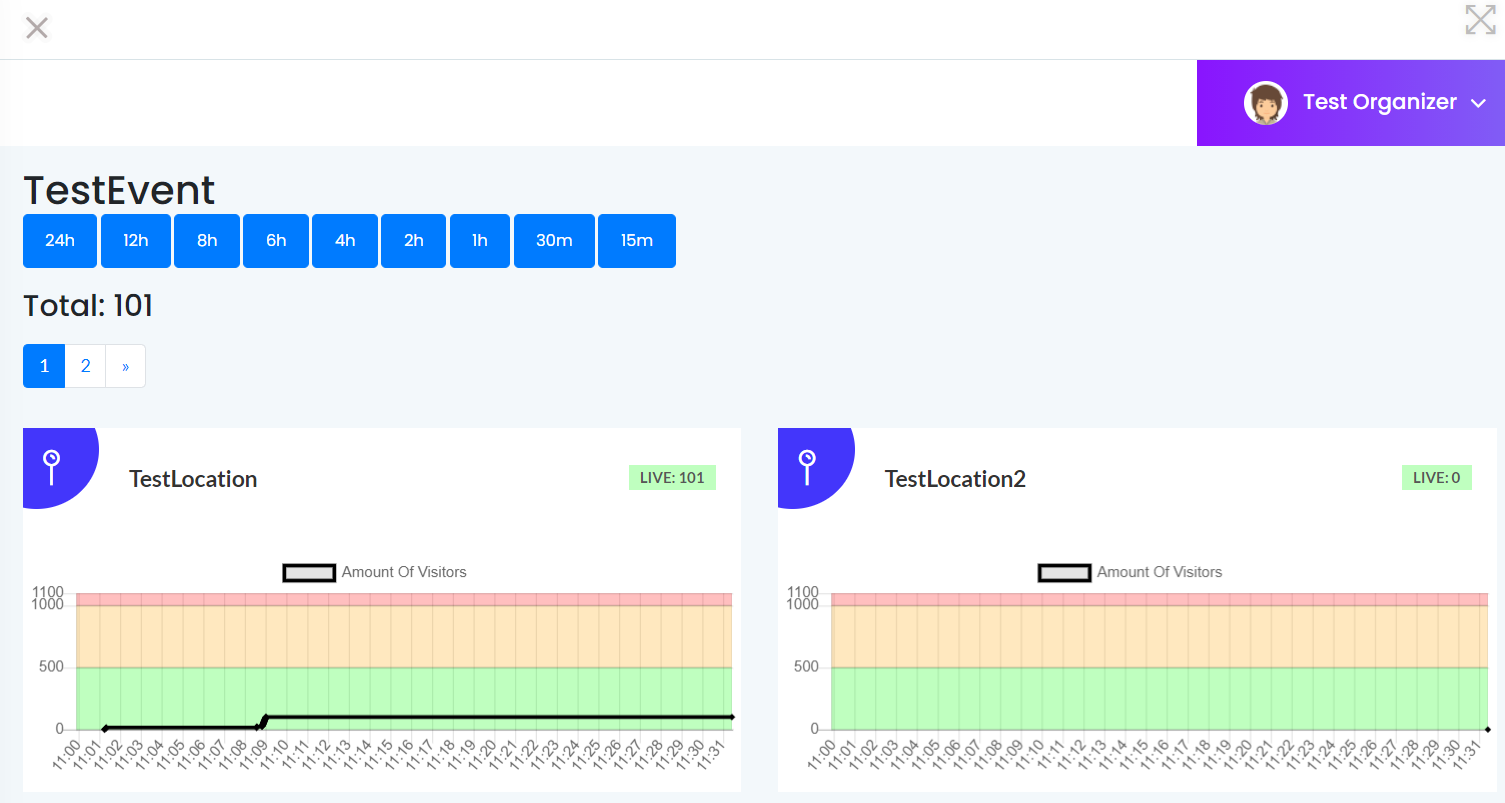
The charts display the amount of live visitors in a certain time interval. You can check if your visitor count is still healthy or if it's exceeding the warning/limit.
Crowd Monitor WebApp provides a solution to monitor your events.
Development Spot powered by Spot Group, created a way to easily create events and locations and to track all attendants.
The app is really simple and not complicated. It's easy to use and performant. An organizer can monitor every location of the event that
is created.
The charts display the amount of live visitors in a certain time interval. You can check if your visitor count is still healthy or if it's exceeding the warning/limit.
When you enter the dashboard from an event, you can check all the locations you have created for this event. The charts display as a default the last 24 hours of an event.
If you want to have a more specific timing, you can click on one of the buttons for a more specific time interval. You can choose between: last 24h, last 12h, last 8h, last 6h, last 4h, last 2h, last 1h, last 30m and last 15m.
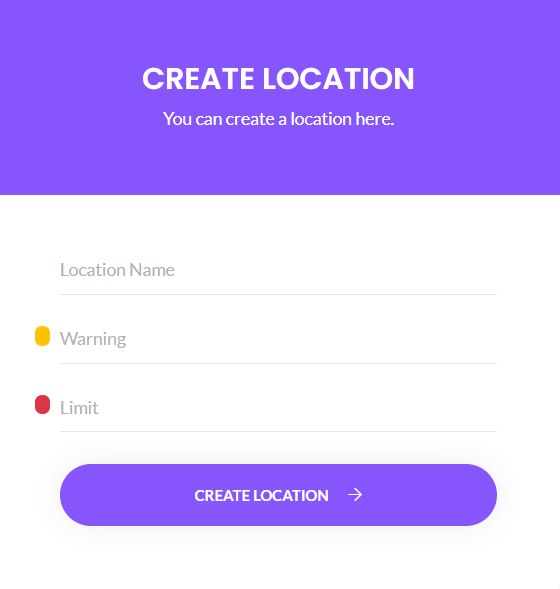
You can add new locations by clicking on the left tab and clicking on create new locations.
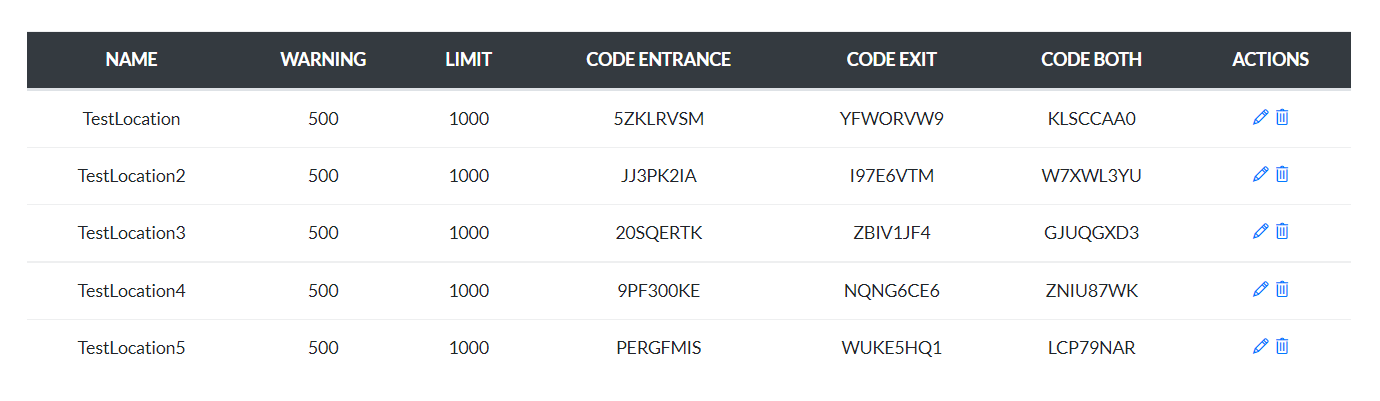
Editing and deleting events is as simple as clicking on two buttons.
Our app provides multiple functionalities, you can use to easily create events and manage them during this current pandemic.
If you have an event and location created, you can easily monitor these events on the organizer dashboard.
With our app you can easily track the visitors that visit your event.